Step-by-Step: Launching Your Mobile Course App with LearnWorlds
Ready to put your online courses in your students' pockets? Mobile learning apps generate 3x higher completion rates than desktop-only courses.
👉 LearnWorlds lets you launch a branded iOS and Android app without hiring developers or draining your budget.
This guide walks you through the exact process to get your mobile course app live in 30 days.
📱 What LearnWorlds Mobile App Builder Actually Does?
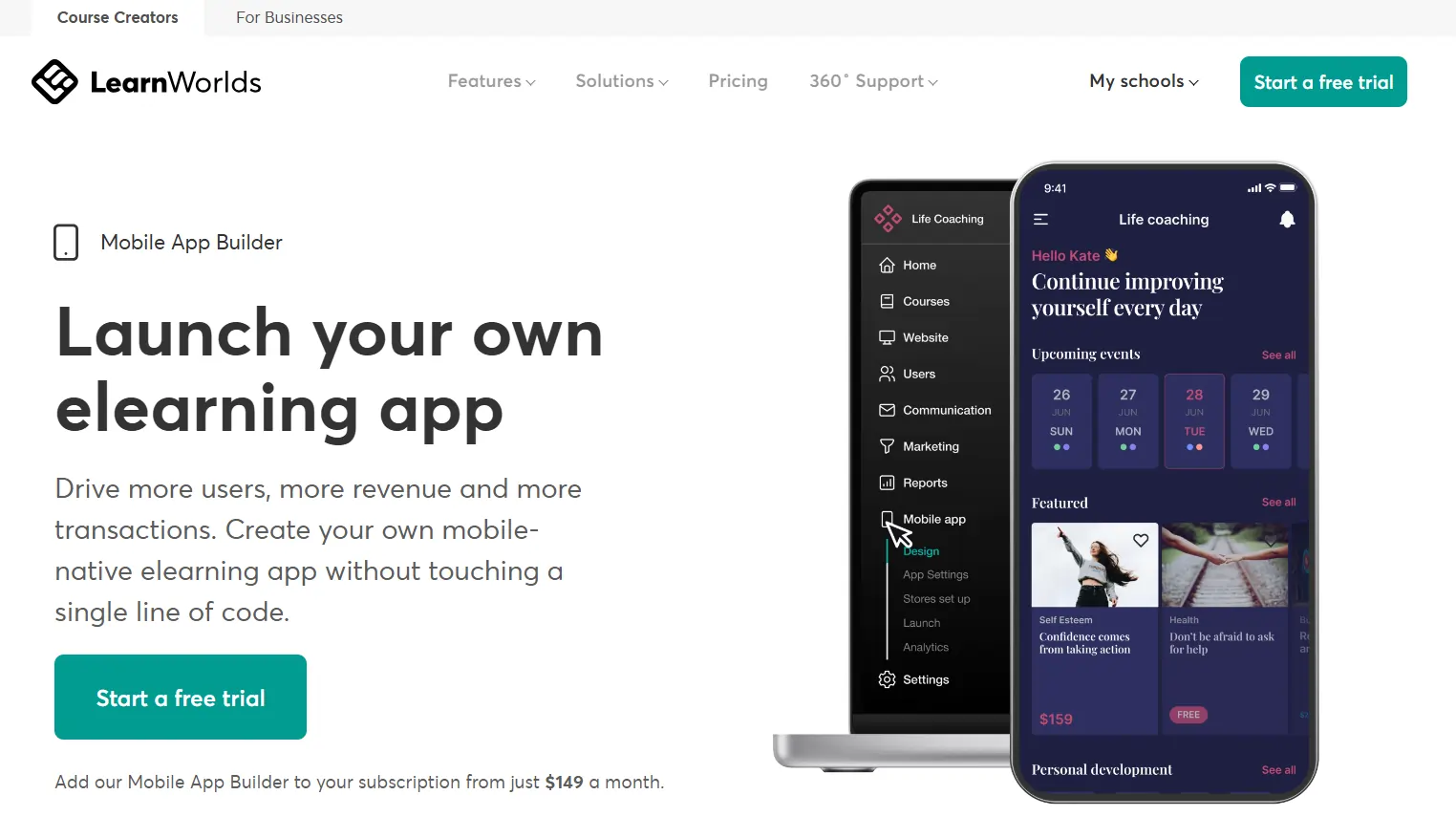
LearnWorlds offers a white-label mobile app solution that syncs automatically with your online school. Your students download your app from the App Store or Google Play, log in with their existing credentials, and access all courses, videos, quizzes, and certificates.
The app supports offline viewing, push notifications, and progress tracking. Unlike basic mobile-responsive sites, this is a native app with your branding, logo, and colors—no LearnWorlds mention anywhere.

The platform handles app store submission, updates, and maintenance. You focus on course content while LearnWorlds manages the technical complexity. Apps update instantly when you add new content to your school, so students always see fresh material without downloading updates.
Step 1: Pick the Right LearnWorlds Plan for Mobile
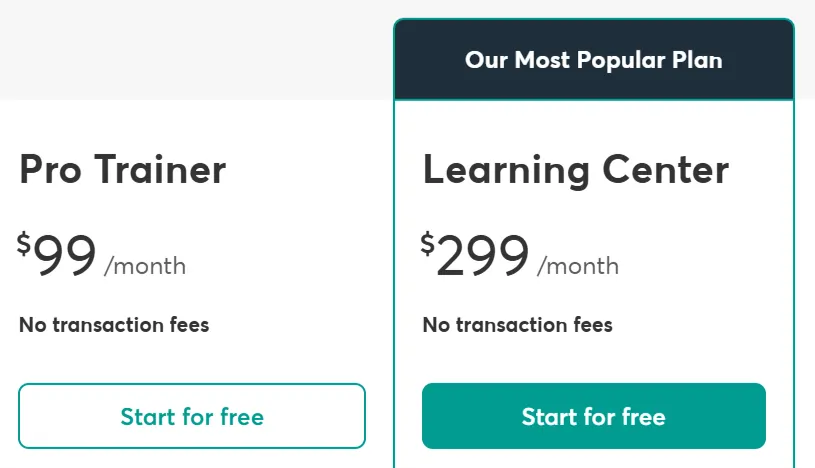
Not every plan includes mobile app capability. The Starter plan ($29/month) locks you out completely. You need Pro Trainer ($99/month) or Learning Center ($299/month) to access the mobile app add-on.
Pro Trainer gives you unlimited courses, live classes, certificates, and the option to add mobile apps. Learning Center adds interactive video builder, full white-labeling, 20 admin seats, and advanced reporting. Most course creators start with Pro Trainer and upgrade later.
Save Big With LearnWorlds Exclusive 30% Offer

Get 30% off the first two months on Pro or Learning Center plans using code 10MR at checkout.
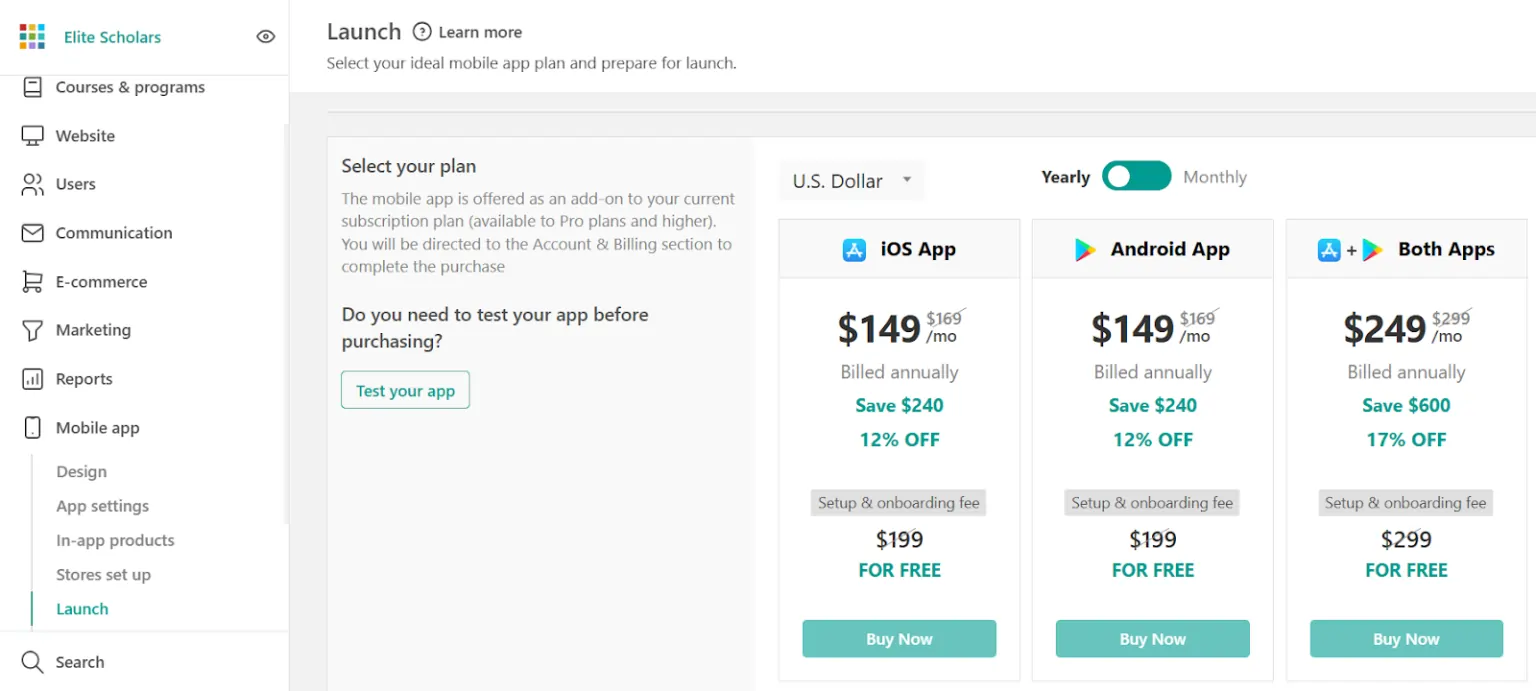
Budget $149/month for a single platform (iOS OR Android) or $249/month for both. Annual billing drops the base plan cost by 20 percent, saving $240-$600 per year. Factor in app store fees: Apple charges $99/year for developer accounts; Google charges a one-time $25 fee.
Want LearnWorlds pricing + discount coupons? Check full guide HERE!
Step 2: Design Your App Experience Before Building
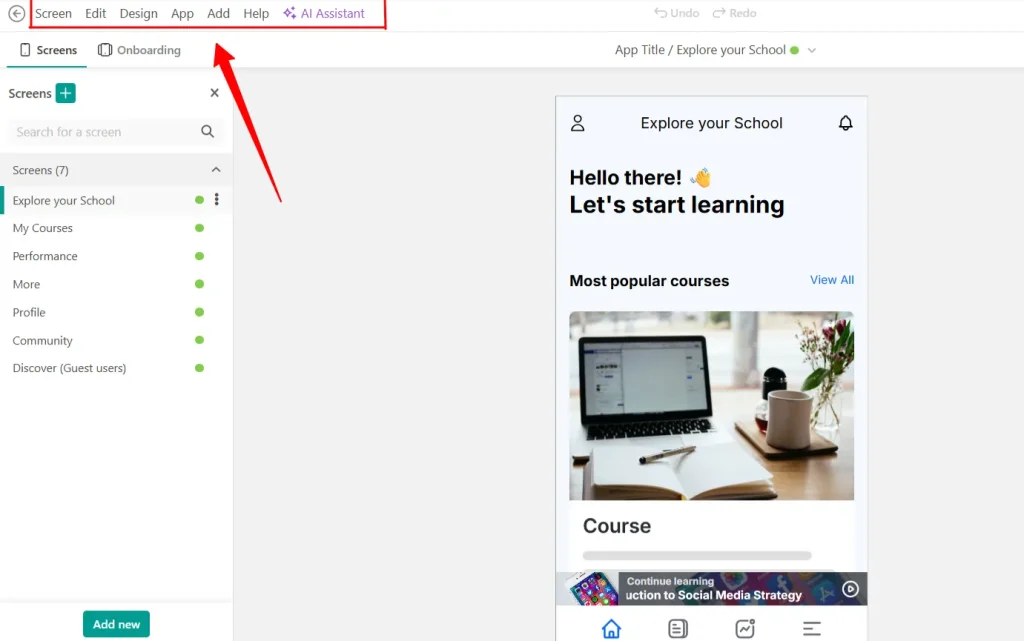
Map your student journey before touching the app builder. Which courses appear on the home screen? Do you want featured banners promoting new content? Should quizzes trigger push notifications for incomplete attempts?
Create a simple wireframe showing:
LearnWorlds provides 20+ pre-built templates. Customize these rather than starting from scratch. Test your design logic by asking: “Can a student find and start any course in three taps or less?” If not, simplify.
Step 3: Build Your App in the LearnWorlds Dashboard
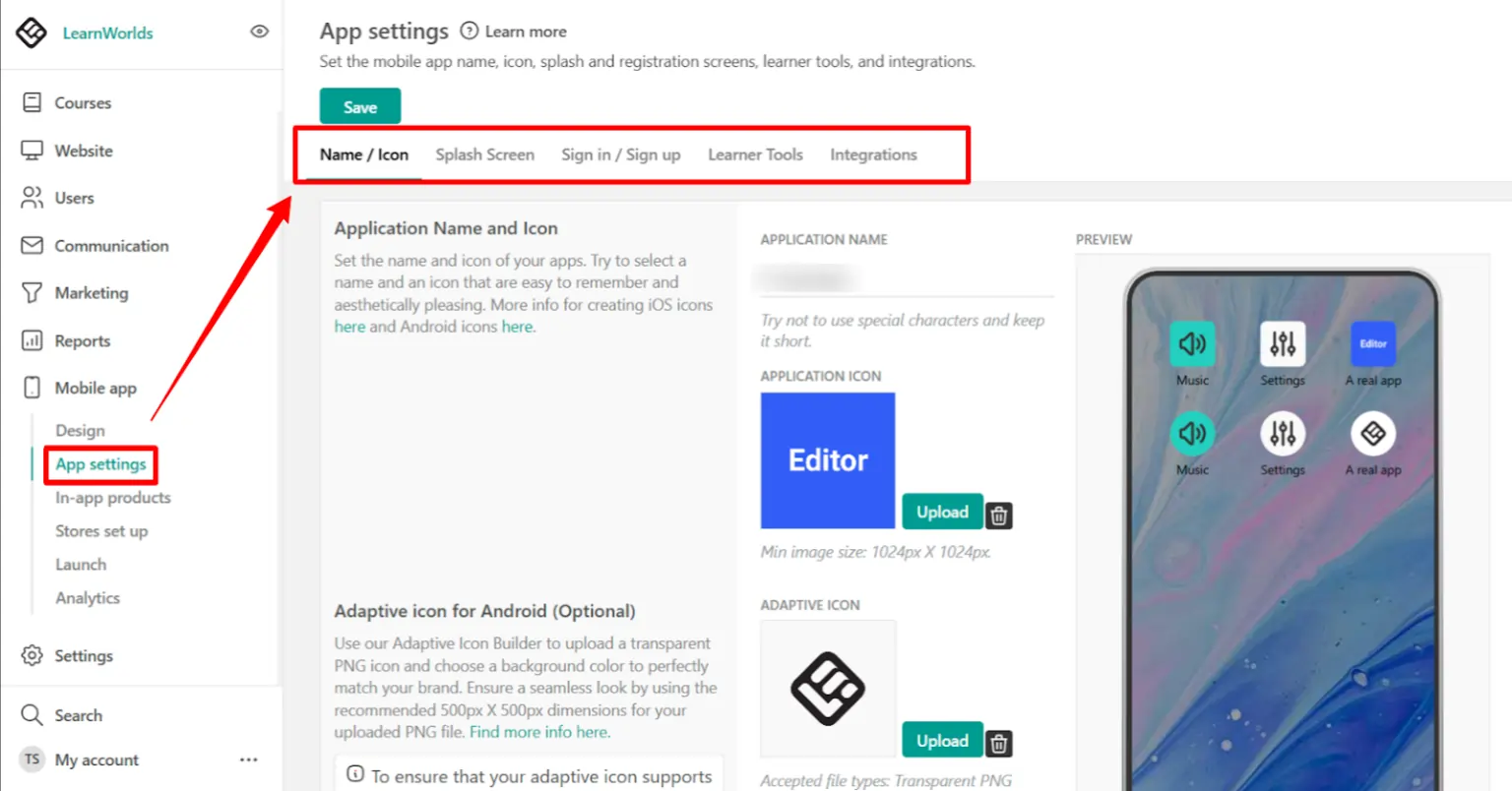
Access the Mobile App Builder from your school admin panel. Click “Create New App” and select iOS, Android, or both. The visual editor loads immediately.
Upload your app icon (1024×1024 pixels) and splash screen images. Set your primary color, font, and button styles. Drag and drop modules to reorder screens: Home, Course Catalog, My Courses, Community, Profile. Each module toggles on/off with one click.
Add your app name and description—these appear in app stores. Write a compelling 80-character subtitle that explains your app's value. “Master Digital Marketing in 15-Minute Lessons” works better than “Online Courses.”
Step 4: Test Your App on Real Devices
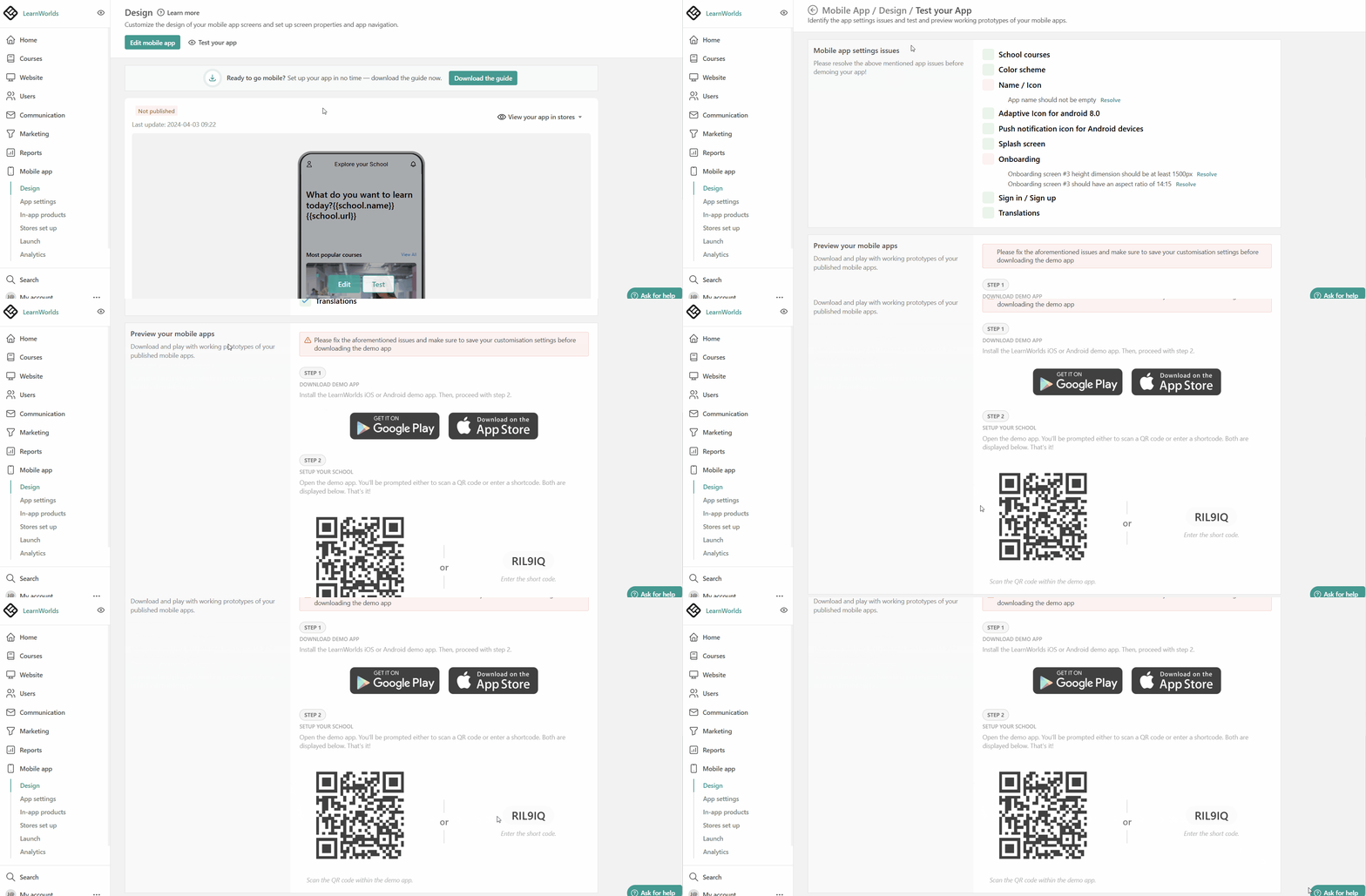
Never publish without testing. LearnWorlds offers a preview app you install on your phone. Download the “LearnWorlds Demo” app from app stores, scan the QR code in your dashboard, and your app loads instantly.
Test these critical paths:
Recruit 5-10 beta testers from your existing students. Give them free access and collect feedback via a Google Form. Fix any blocking issues before public launch.
Step 5: Prepare App Store Assets and Documentation
App stores require specific assets. Gather these before submission:
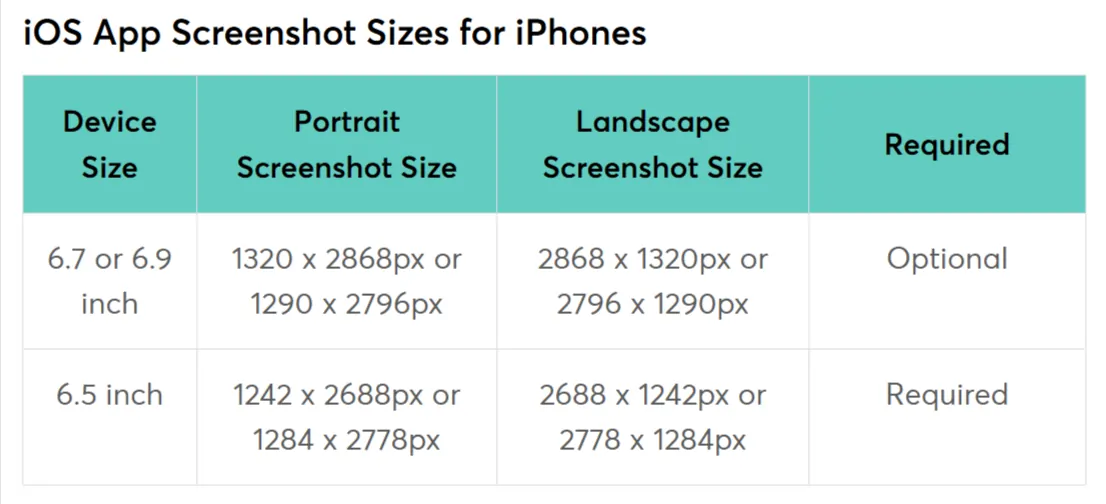
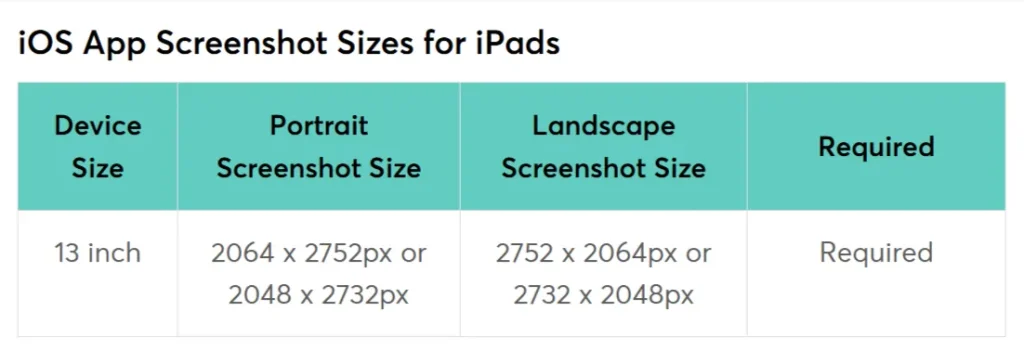
LearnWorlds generates a app store privacy policy template. Customize it with your business details. Create separate listings for iOS and Android—each platform has unique requirements.
Step 6: Submit to App Stores Through LearnWorlds
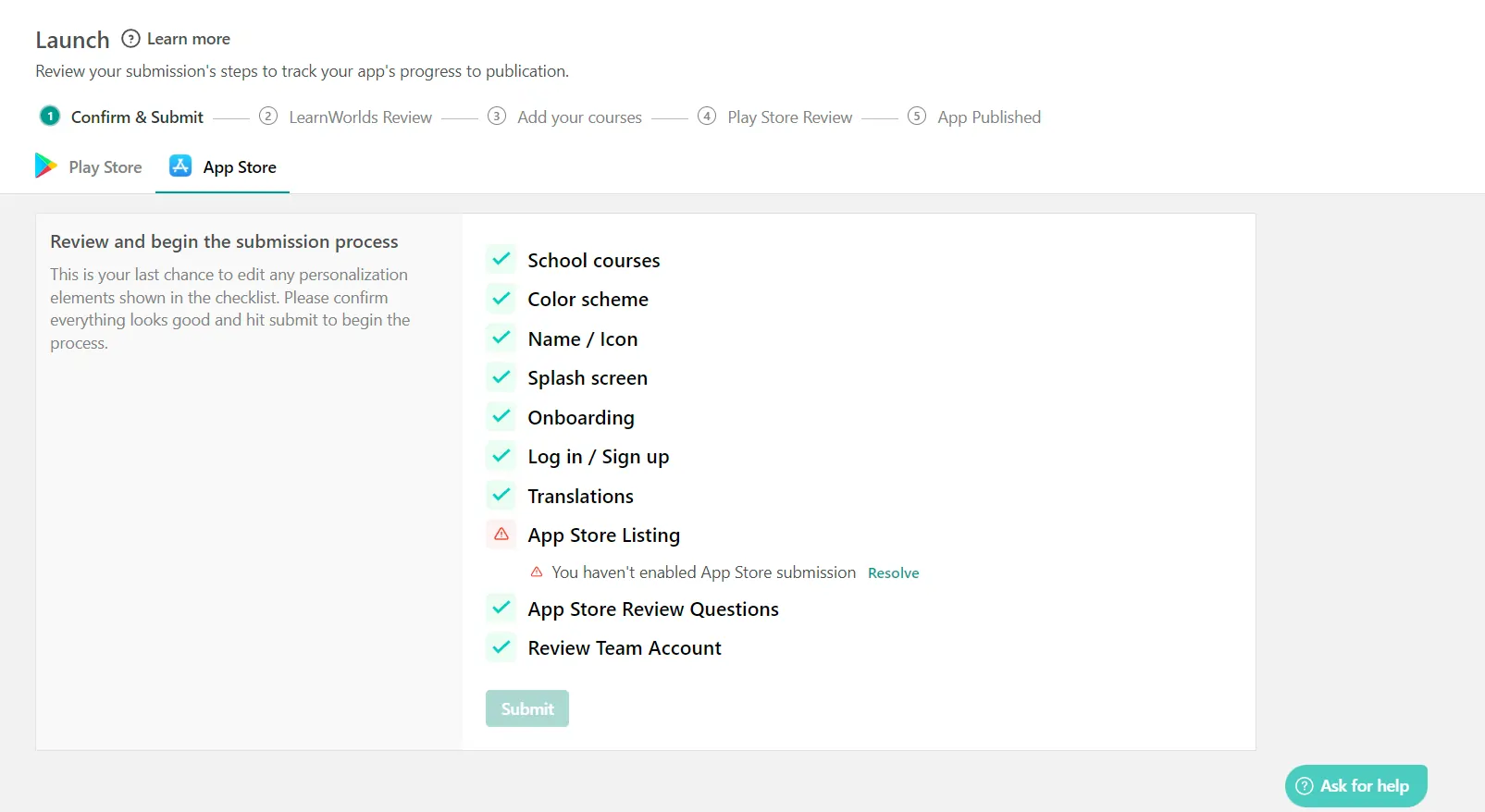
Click “Publish” in your LearnWorlds dashboard. The system packages your app and submits to Apple App Store and Google Play Console. This process takes 1-2 hours.
Apple review typically takes 24-48 hours for educational apps. Google Play review is faster—often 4-8 hours. Track status in your LearnWorlds panel. Apple sometimes rejects apps for minor issues like screenshot quality or description clarity. LearnWorlds support helps resolve rejections quickly.
While waiting, prepare your launch announcement email and social media posts. Schedule them for 24 hours after submission to account for potential rejection delays.
Step 7: Launch and Drive Initial Downloads
Your app goes live. Now drive downloads fast—app store algorithms favor apps with early momentum.
Send a launch email to your entire student list with direct download links. Offer a 48-hour discount: “Download our app today, get 30% off any course using code MOBILE30.”
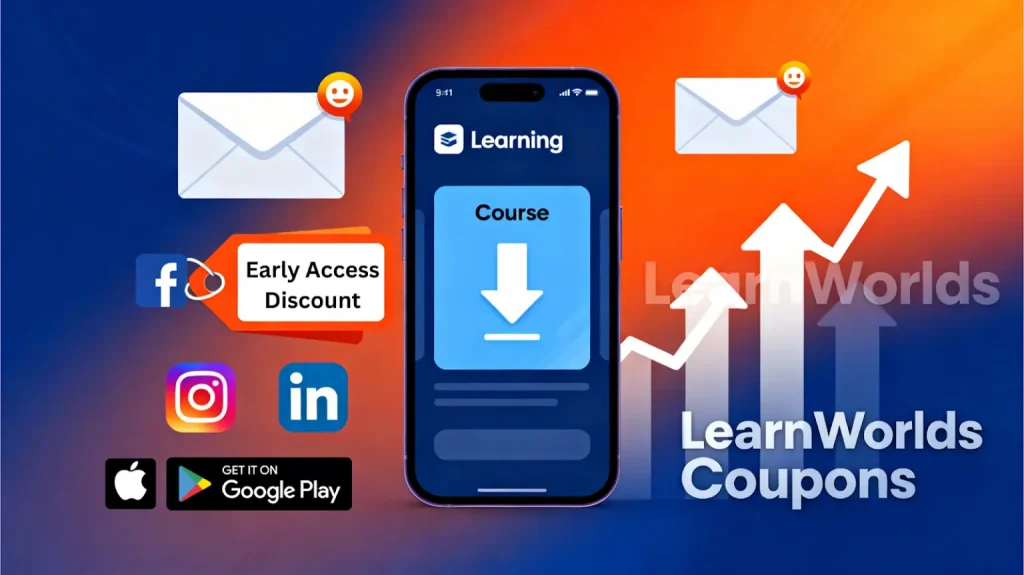
Post in Facebook groups, Reddit communities (r/onlinelearning, niche-specific subreddits), and LinkedIn. Share a 60-second demo video showing the app in action. Tag LearnWorlds in posts—they sometimes feature customer launches.
Run a small Facebook/Instagram ad campaign targeting your existing email list. Spend $10-20/day for 7 days. This reminds warm leads to download and boosts store rankings.
Step 8: Monitor Metrics and Optimize
Track these weekly in your LearnWorlds analytics:
Aim for 40% of web students to download the app within 60 days. If lower, improve your onboarding: add a banner on your website, mention app benefits in course emails, create a 2-minute “how to use the app” video.
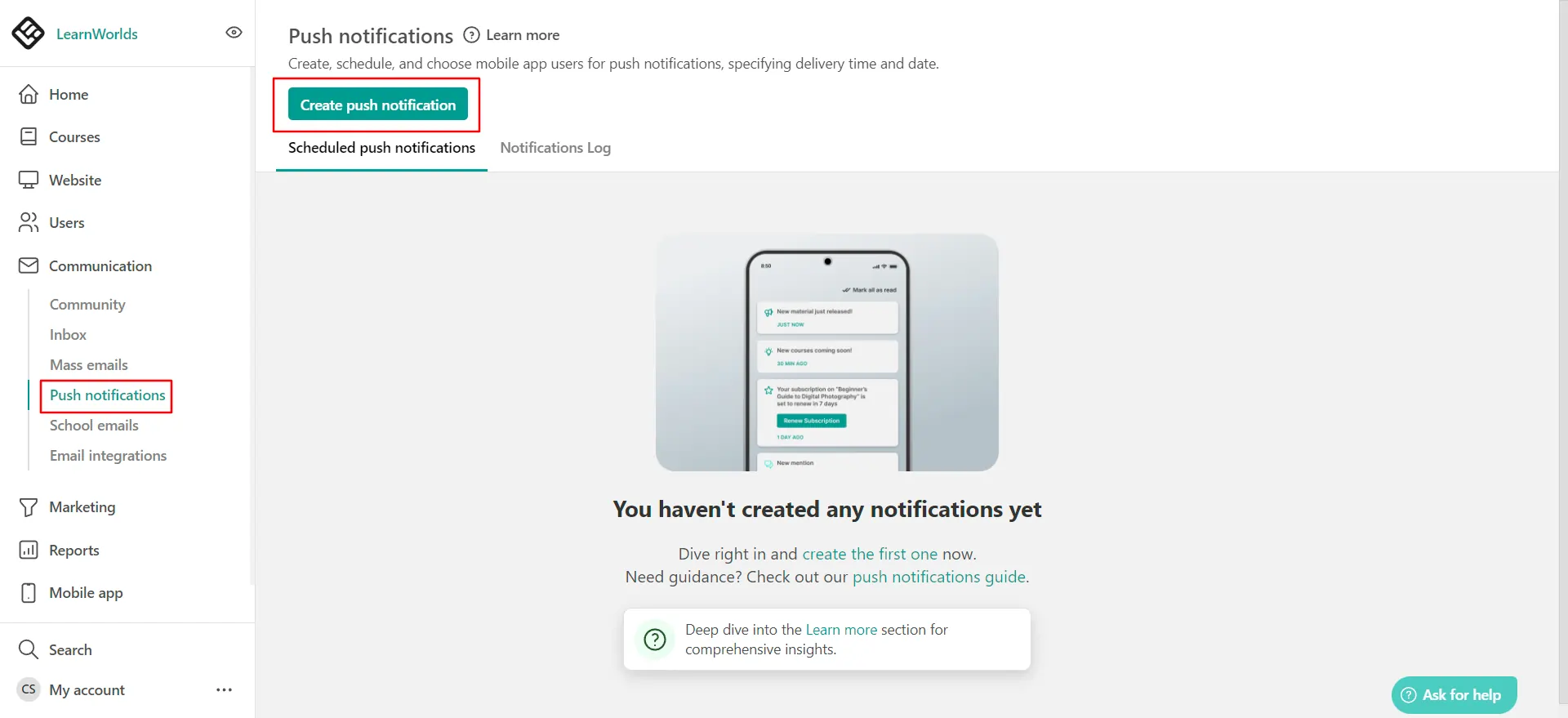
Update app content weekly. Fresh content signals app stores that your app is active, improving search rankings. Add new courses, change featured banners, and tweak push notification copy based on open rates.
Real Cost Breakdown to Launch
Here is the actual investment needed:
| Item | One-Time Cost | Monthly Cost |
|---|---|---|
| Apple Developer Account | $99 | $0 |
| Google Play Registration | $25 | $0 |
| LearnWorlds Pro Trainer (annual) | $0 | $79 |
| Mobile App (iOS + Android) | $0 | $199 |
| App Store Optimization tool (optional) | $0 | $29 |
| Initial ad spend (optional) | $0 | $100 |
Common Pitfalls to Avoid
Final Checklist Before You Hit Publish
Your mobile app puts you ahead of 80% of online course creators stuck on desktop-only platforms. Students complete courses faster, engage more, and refer friends when they can learn during commutes, lunch breaks, or waiting rooms.
Your app could be live before your next course launch.